

As benefits season approaches, business owners often review whether their 401(k) plan is easy to explain, administer, and integrate with the company’s broader rewards program. Automatic enrollment and automatic escalation are two plan features that can change the employee experience and the sponsor’s payroll process at the same time. They deserve a deliberate review before the next plan year because the decision involves plan terms, communications, elections, payroll setup, and ongoing oversight—not simply turning on a feature.
The features solve different administrative questions.
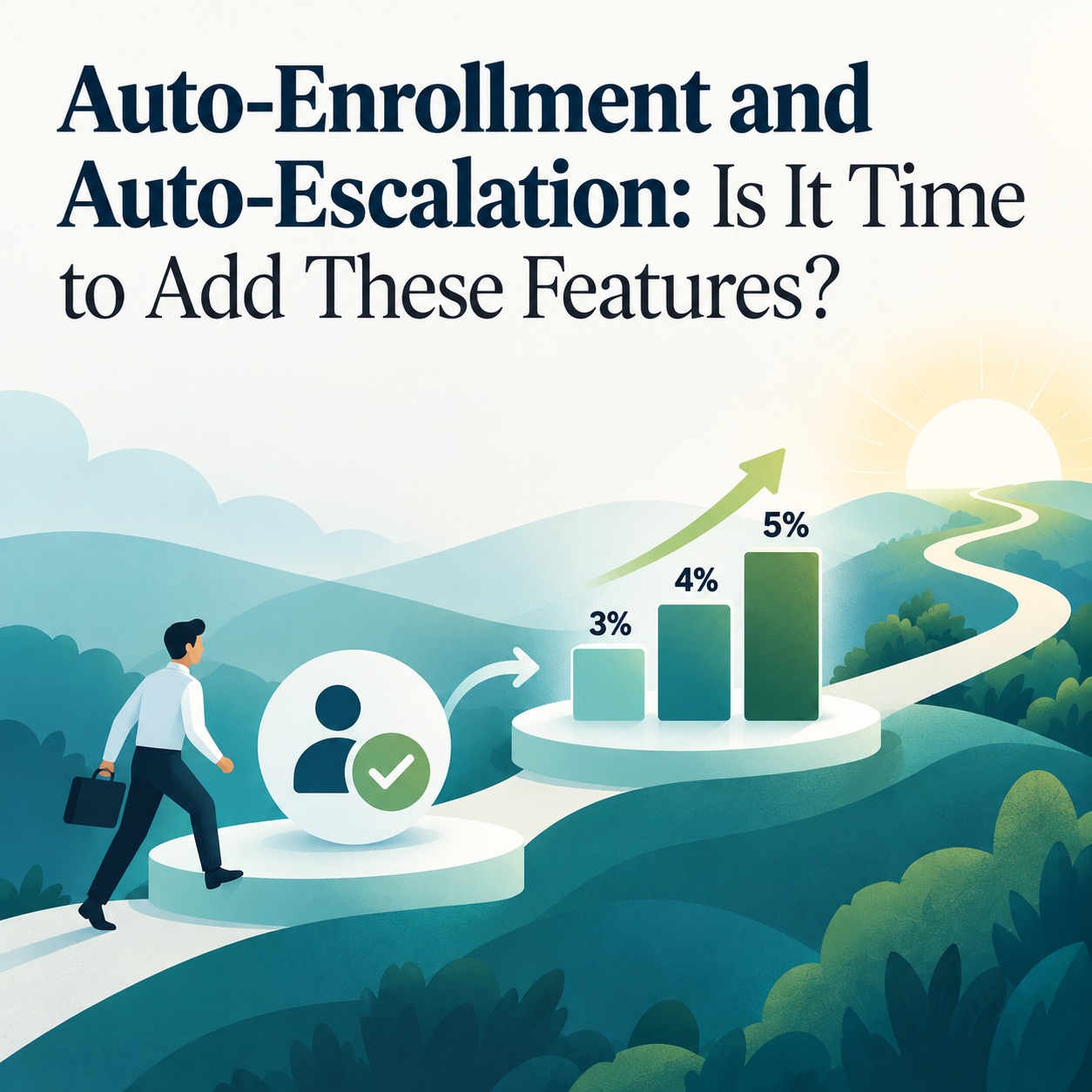
Automatic enrollment generally means that eligible employees are enrolled at a stated deferral percentage unless they make a different election or opt out under the plan’s process. Automatic escalation generally increases a participating employee’s elected contribution percentage over time, subject to the plan’s terms and applicable limits. The features are related, but they are not interchangeable.
For a sponsor, the first practical distinction is timing. Automatic enrollment concerns how an eligible employee enters the contribution process. Automatic escalation concerns how a contribution percentage may change later. Each design calls for clear rules about who is covered, when the feature takes effect, what percentage applies, how an election may be changed, and how payroll will receive the information.
A business may decide to examine both features together because they affect the same operational chain: eligibility data moves from HR to payroll, payroll sends data to the recordkeeper, and employee elections must be handled correctly. Reviewing the chain end to end can surface questions that don't appear when the discussion stays at the plan-document level.
Plan design is only the first layer.
A feature can look simple in a summary but become more detailed in practice. The sponsor may need to determine whether a feature applies to all eligible employees or a defined group, how to treat rehires, what happens when compensation changes, and how the chosen approach fits any employer match or contribution. The plan’s eligibility provisions, entry dates, and payroll frequency can influence implementation.
Consider a company that hires employees across several worksites with different onboarding routines. An automatic enrollment approach may require more than a new payroll code. It may require a consistent way to identify the employee’s eligibility date, send required information, capture an affirmative election, and verify that the first deduction occurs as intended. When handoffs vary by location, a documented process can be more important than a polished plan summary.
Automatic escalation can introduce its own monitoring points. Sponsors can ask how changes will be conveyed, how the system will handle election changes, whether escalation dates match with payroll schedules, and how contribution limits will be monitored. The focus is not on promising a particular employee outcome; it is on building a process that operates as designed.
Communications and choice remain important.
An automatic feature does not eliminate the need for understandable employee communication. The sponsor should work with providers to identify required notices and ensure general communications accurately explain the feature, timing, available elections, and contact points. Delivery records and version control can be useful parts of the administration file.
Clarity matters because employees may have questions about their paycheck, election options, or the timing of a change. The company does not need to give individual investment or tax advice to explain how the plan works. It can provide the approved plan materials, describe where employees may make elections, and direct technical questions to the appropriate service provider.
Sponsors can also consider the overall benefits calendar. Introducing a plan feature at the same time as open enrollment, payroll changes, or a workforce acquisition may increase the communication load. A staged project plan can help management decide whether the organization is ready to implement for the next year or whether more preparation is warranted.
Assessing mission readiness
The key issue is often whether the company can administer the design reliably. That calls for a candid discussion with payroll, HR, the recordkeeper, and the plan administrator. What data fields are needed? Who identifies eligibility? What testing will take place before the first payroll? How are errors identified and corrected? Which party answers employee questions? Who retains evidence of notices and elections?
It can help to ask each provider for a written implementation checklist and compare the lists. A payroll provider may focus on deduction codes and file transmission, while a recordkeeper may focus on eligibility and election data. The sponsor can use both perspectives to assign owners and avoid gaps.
Preserve a record of the design decision.
Automatic features are best supported by a concise record of why the company considered them, the plan terms selected, the providers consulted, and the implementation checks completed. That record need not predict employee outcomes. It can show that the sponsor considered payroll capability, communications, elections, eligibility, and ongoing monitoring before the feature went live. It also gives the next benefits or payroll team a practical reference when questions arise.
A practical process to consider automatic features
- 1. Map the current employee journey. Follow a new hire from offer acceptance to eligibility, election, payroll deduction, and recordkeeper posting. Identify which teams and systems touch each handoff.
- 2. Review plan and workforce facts. Discuss eligibility rules, entry dates, payroll frequency, turnover patterns, employee groups, employer contribution provisions, and planned HR or payroll changes. These details shape which designs are administratively practical.
- 3. Ask providers for implementation requirements. Request proposed timelines, required notices, payroll fields, test-file procedures, election handling, and error-resolution workflows. Confirm which party is responsible for every task.
- 4. Prepare clear, approved communications. Coordinate the required and educational materials so employees can understand the plan feature, timing, and election process. Preserve documentation of delivery as appropriate.
- 5. Monitor the first cycles and document lessons. Review early payrolls, exception reports, employee questions, and provider feedback. Record any procedure adjustments so the feature remains part of a repeatable governance process.
Automatic enrollment and escalation can be worthwhile topics for a next-year design review. Still, the decision's soundness depends on the company’s goals and its capacity to operate the feature consistently. Treating the choice as a cross-functional project gives the sponsor a clearer basis for deciding what to consider and when.
Want help walking through automatic enrollment and auto-escalation features?
These features affect plan design, payroll coordination, communications, and ongoing administration. Duncan Williams Asset Management can help you walk through automatic enrollment and auto-escalation, understand the questions to ask your service providers, and pinpoint areas where additional professional input may be useful. To discuss your plan's automatic feature readiness, call our team at 901.435.4250 to arrange a conversation about your retirement plan.
Sources & further reading
- • Internal Revenue Service — Retirement Topics: Automatic Enrollment: https://www.irs.gov/retirement-plans/plan-participant-employee/retirement-topics-automatic-enrollment
- • U.S. Department of Labor — Automatic Enrollment 401(k) Plans for Small Businesses: https://www.dol.gov/agencies/ebsa/about-ebsa/our-activities/resource-center/publications/automatic-enrollment-401k-plans-for-small-businesses
- • Internal Revenue Service — 401(k) Plan Overview: https://www.irs.gov/retirement-plans/plan-sponsor/401k-plan-overview
- • Internal Revenue Service — Operating a 401(k) Plan: https://www.irs.gov/retirement-plans/operating-a-401k-plan
- • Internal Revenue Service — Notice Requirement for a Safe Harbor 401(k) or 401(m) Plan: https://www.irs.gov/retirement-plans/notice-requirement-for-a-safe-harbor-401k-or-401m-plan
Disclosure


Recent Articles


Let's talk about your future.
Connect with a local Duncan Williams Asset Management advisor

5350 Poplar Ave.
Suite 600
Memphis, TN 38119

